VsCode里的Vue模板的实现
时间:2020-08-12 11:00:07 | 栏目: | 点击:次
如何自定义自己的开发模板?你需要这几步:
- 点击VsCode左上角的“文件” ;
- 找到 “首选项” 并点击首选项里的 “用户片段”;
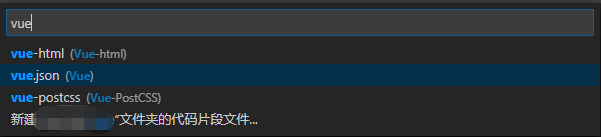
- 输入 “vue.json” 点击进入该文件
- 现在你就能编辑自己的Vue页面开发模板了!
下面是我的模板代码:
{
	"Print to console": {
	 "prefix": "vue",
	 "body": [
		"<!-- $0 -->",
		"<template>",
		" <div></div>",
		"</template>",
		"",
		"<script>",
		"export default {",
		" data () {",
		"  return {",
		"  }",
		" },",
		"",
		" //方法集合",
		" methods: {",
		"",
		" },",
		"",
		" //生命周期 - 创建完成(可以访问当前this实例)",
		" created(){",
		"",
		" },",
		"",
		" //生命周期 - 挂载完成(可以访问DOM元素)",
		" mounted(){",
		"",
		" },",
		" //生命周期 - 创建之前",
		" beforeCreate(){",
		"",
		" },",
		" //生命周期 - 挂载之前",
		" beforeMount(){",
		"",
		" },",
		" //生命周期 - 更新之前",
		" beforeUpdate(){",
		"",
		" },",
		" //生命周期 - 更新之后",
		" updated(){",
		"",
		" },",
		" //生命周期 - 销毁之前",
		" beforeDestroy(){",
		"",
		" },",
		" //生命周期 - 销毁完成",
		" destroyed(){",
		"",
		" },",
		" //如果页面有keep-alive缓存功能,该函数会触发",
		" activated(){",
		"",
		" }",
		"}",
		"",
		"</script>",
		"<style lang='scss' scoped>",
		"</style>"
	],
	 "description": "Log output to console"
	}
 }
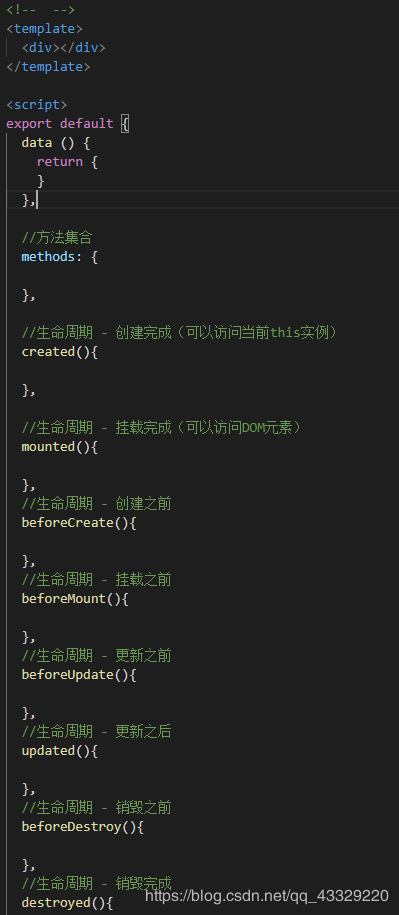
效果如下: