


Python实现弹球小游戏
时间:2020-08-01 13:01:06|栏目:|点击: 次


本文主要给大家分享一个实战项目,通过python代码写一款我们儿时大多数人玩过的游戏---小弹球游戏。只不过当时,我们是在游戏机上玩,现在我们通过运行代码来玩,看看大家是否有不一样的体验,是否可以重温当年的乐趣呢!
整个游戏实现比较简单,只需在安装python的电脑上即可运行,玩游戏,通过键盘键控制弹球挡板的移动即可。原理不多说,且让我们去看看吧。
1、代码运行后,游戏界面如下所示:

2、游戏过程中,界面如下所示:
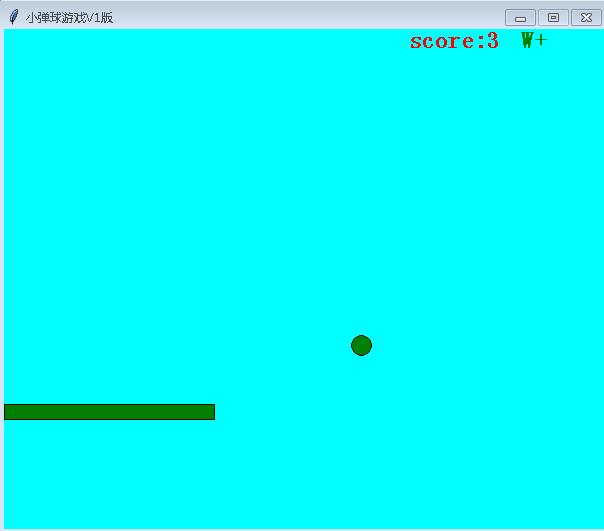
3、游戏结束后,界面如下所示:

游戏实现部分源码如下:
def main():
  tk = tkinter.Tk()

  # call back for Quit
  def callback():
    if mb.askokcancel("Quit", "Do you really wish to quit?"):
      Ball.flag = False
      tk.destroy()

  tk.protocol("WM_DELETE_WINDOW", callback)

  # Init parms in Canvas
  canvas_width = 600
  canvas_hight = 500
  tk.title("小弹球游戏V1版")
  tk.resizable(0, 0)
  tk.wm_attributes("-topmost", 1)
  canvas = tkinter.Canvas(tk, width=canvas_width, height=canvas_hight, bd=0, highlightthickness=0, bg='#00ffff')
  canvas.pack()
  tk.update()

  score = Score(canvas, 'red')
  paddle = Paddle(canvas, "magenta")
  ball = Ball(canvas, paddle, score, "grey")

  game_over_text = canvas.create_text(canvas_width / 2, canvas_hight / 2, text='Game over', state='hidden',
                    fill='red', font=(None, 18, "bold"))
  introduce = '欢迎来到小弹球游戏 V1版:\n点击任意键--开始\n停止--回车键\n继续--回车键\n'
  game_start_text = canvas.create_text(canvas_width / 2, canvas_hight / 2, text=introduce, state='normal',
                     fill='magenta', font=(None, 18, "bold"))
  while True:
    if (ball.hit_bottom == False) and ball.paddle.started:
      canvas.itemconfigure(game_start_text, state='hidden')
      ball.draw()
      paddle.draw()
    if ball.hit_bottom == True:
      time.sleep(0.1)
      canvas.itemconfigure(game_over_text, state='normal')
    tk.update_idletasks()
    tk.update()
    time.sleep(0.01)


if __name__ == '__main__':
  main()
本文的文字及图片来源于网络,仅供学习、交流使用,不具有任何商业用途,版权归原作者所有,如有问题请及时联系我们以作处理。

