


JavaFX FlowPane布局
FlowPane是一个容器。它在一行上排列连续的子组件,并且如果当前行填满了以后,则自动将子组件向下推到下一行。
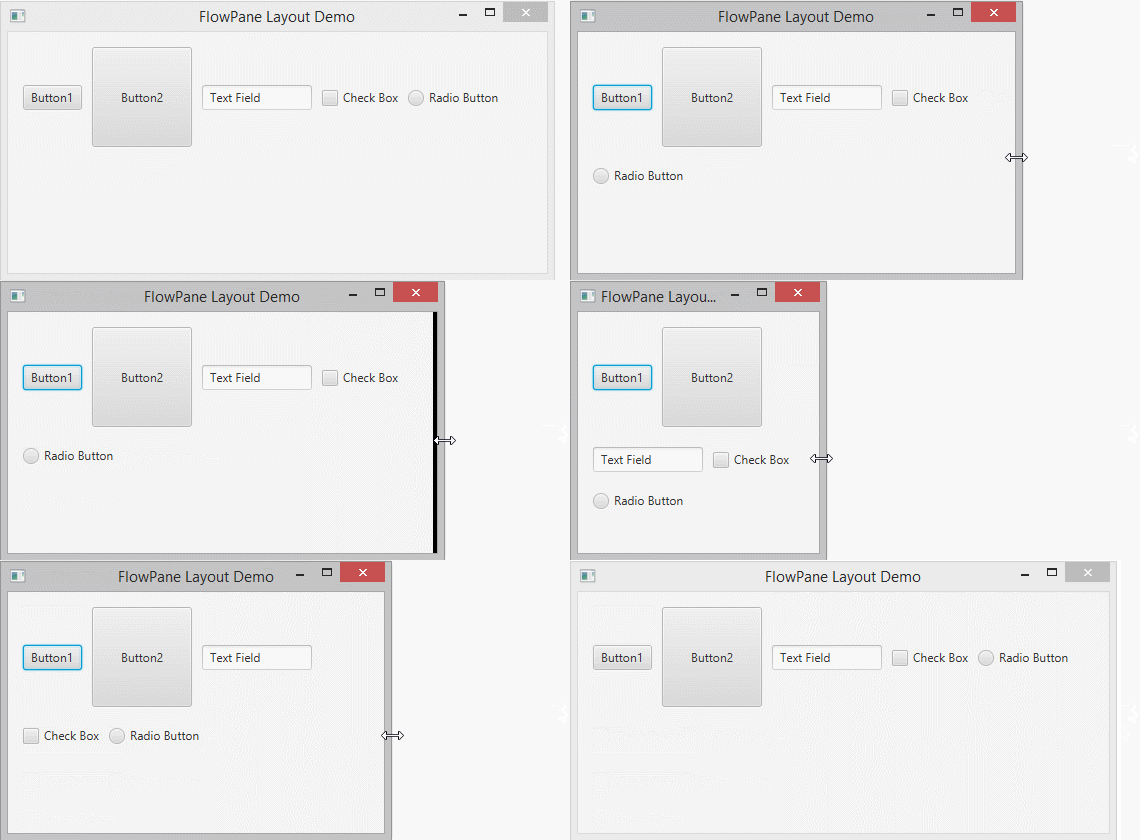
2- FlowPane示例
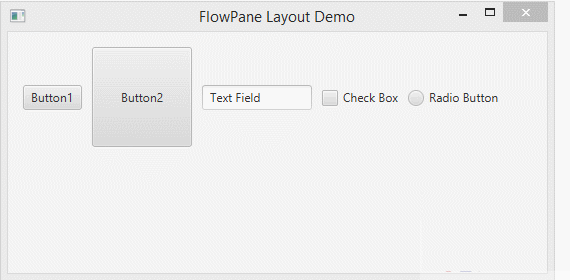
Main.java代码如下 -
import javafx.application.Application;
import javafx.geometry.Insets;
import javafx.scene.Scene;
import javafx.scene.control.Button;
import javafx.scene.control.CheckBox;
import javafx.scene.control.RadioButton;
import javafx.scene.control.TextField;
import javafx.scene.layout.FlowPane;
import javafx.stage.Stage;

public class Main extends Application {

    @Override
    public void start(Stage primaryStage) throws Exception {
        FlowPane root = new FlowPane();

        root.setHgap(10);
        root.setVgap(20);
        root.setPadding(new Insets(15,15,15,15));

        // Button 1
        Button button1= new Button("Button1");
        root.getChildren().add(button1);


        // Button 2
        Button button2 = new Button("Button2");
        button2.setPrefSize(100, 100);
        root.getChildren().add(button2);

        // TextField
        TextField textField = new TextField("Text Field");
        textField.setPrefWidth(110);


        root.getChildren().add(textField);

        // CheckBox
        CheckBox checkBox = new CheckBox("Check Box");

        root.getChildren().add(checkBox);

        // RadioButton
        RadioButton radioButton = new RadioButton("Radio Button");
        root.getChildren().add(radioButton);

        Scene scene = new Scene(root, 550, 250);

        primaryStage.setTitle("FlowPane Layout Demo");
        primaryStage.setScene(scene);
        primaryStage.show();
    }


    public static void main(String[] args) {
        launch(args);
    }

}
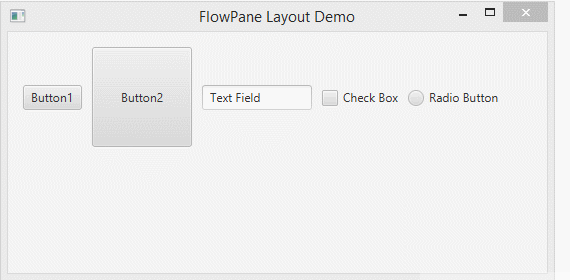
运行示例,得到以下结果:
3- Scene Builder上的FlowPane
您可以使用JavaFX Scene Builder轻松设计界面。下图显示了使用Scane Builder的FlowPane设计。
- File -> New -> Other..
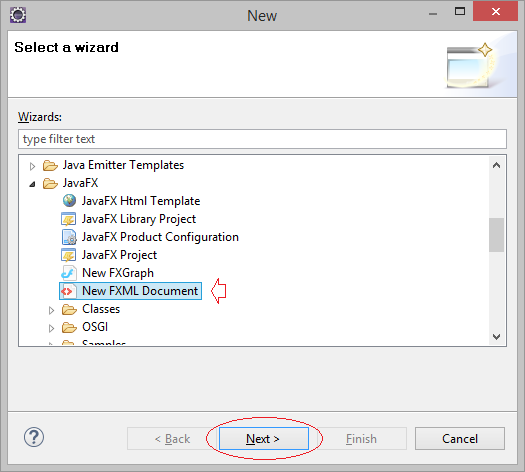
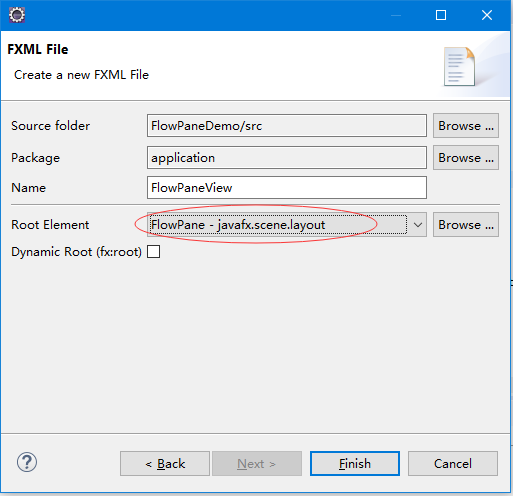
创建一个视图文件-FlowPaneView.fxml,并选择根元素为:FlowPane - javafx.scene.layout,如下图所示 -
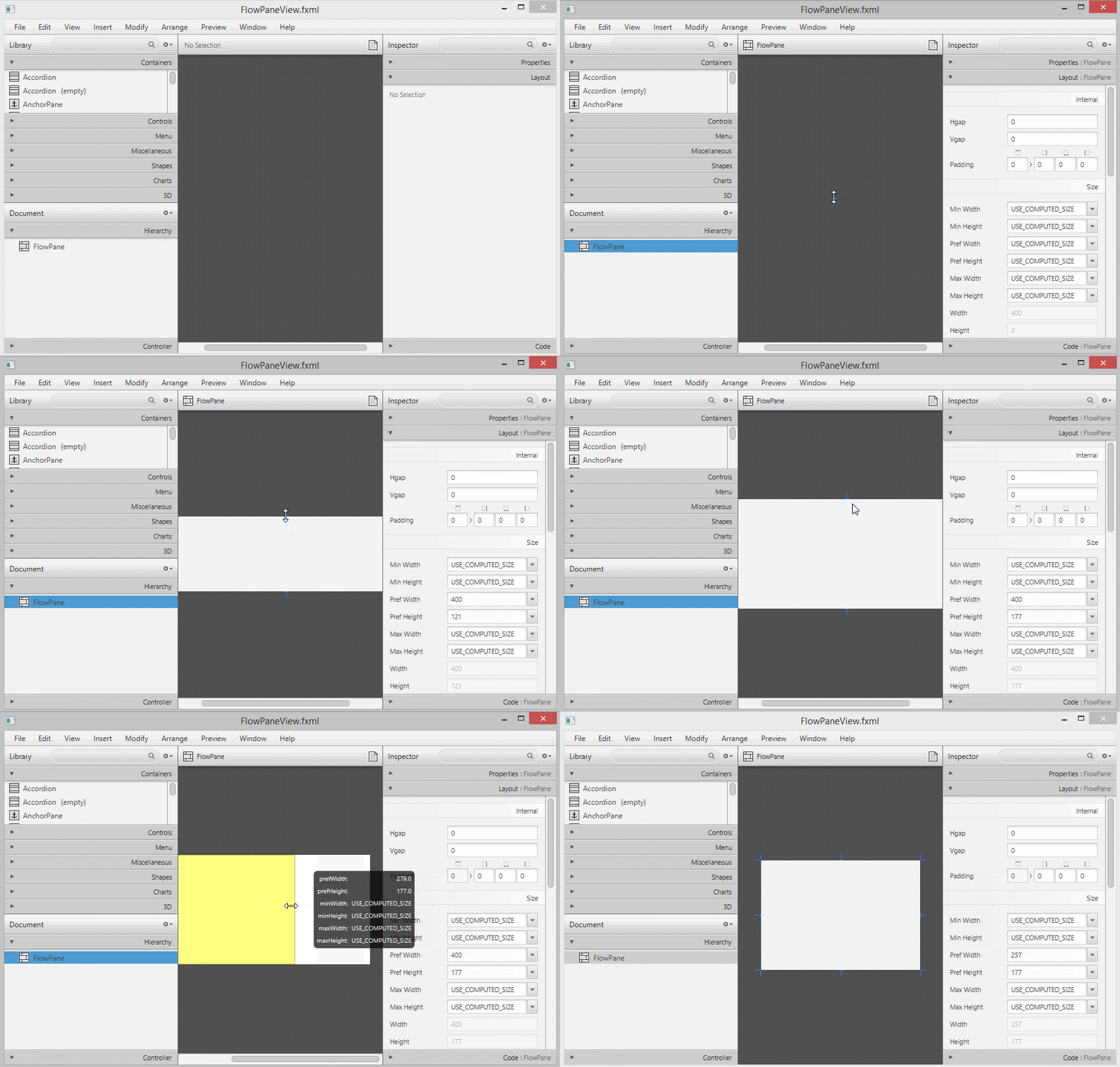
使用 Scene Builder 打开FlowPaneView.fxml文件 -
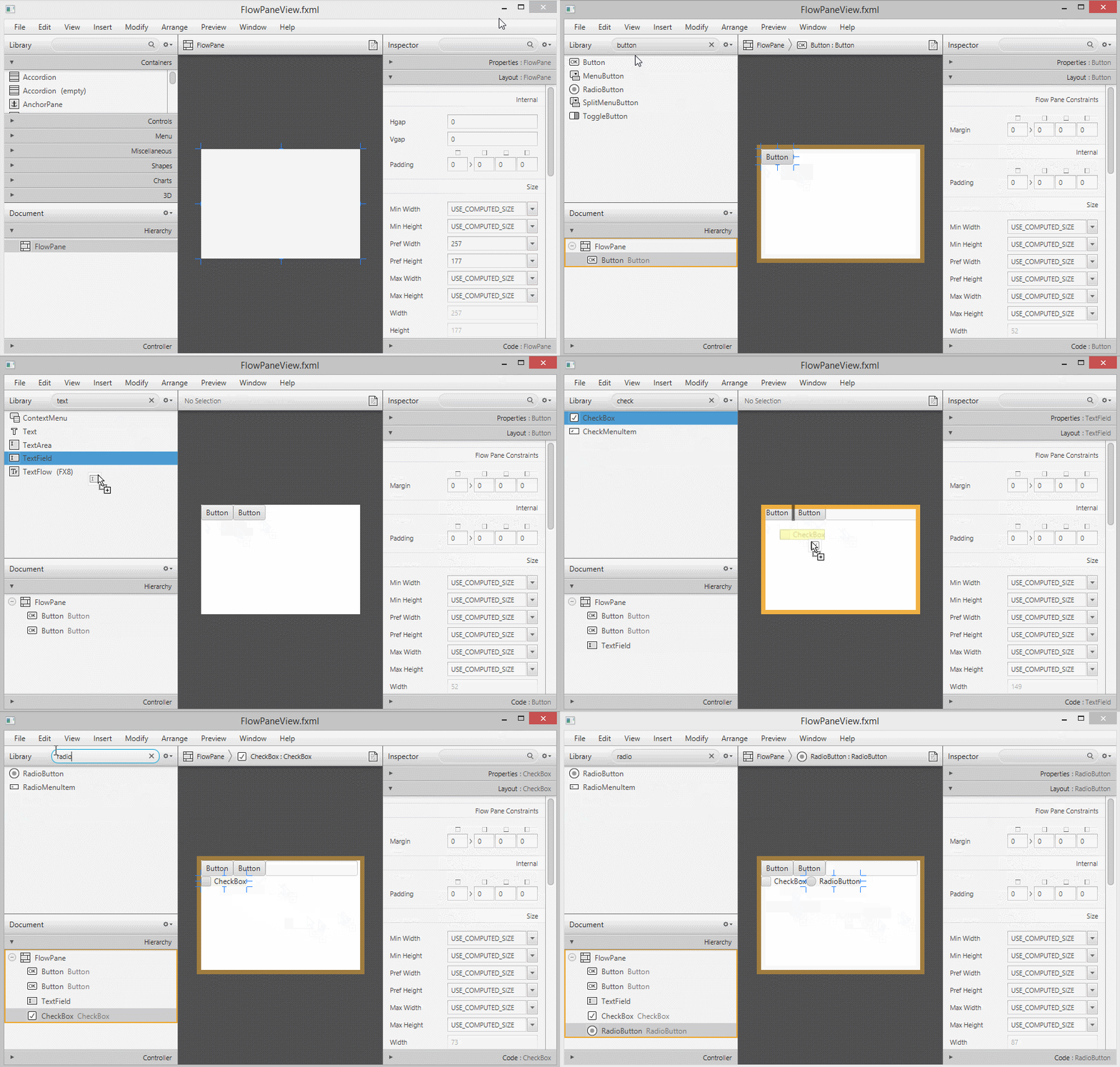
将节点元件添加到FlowPane。
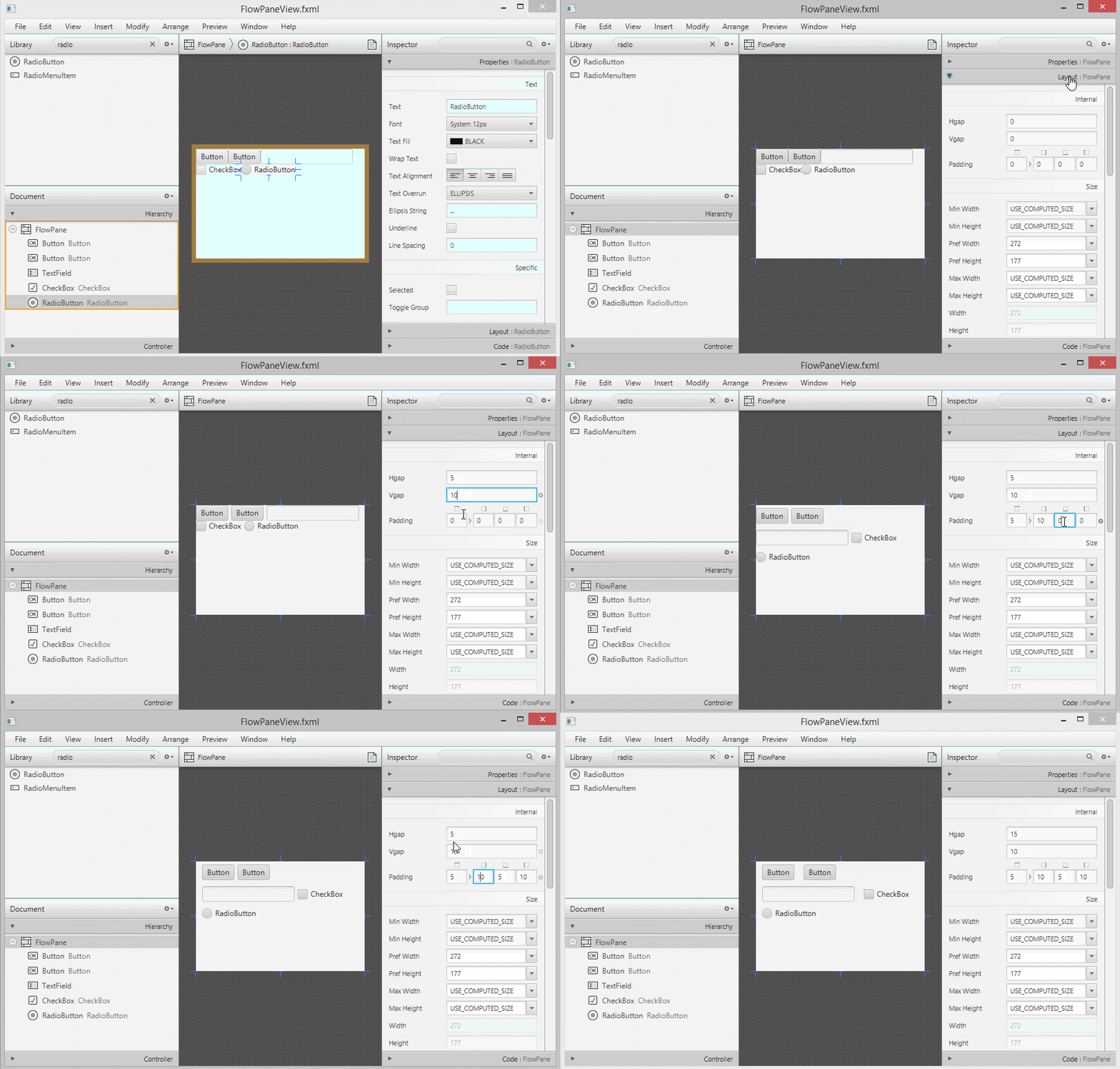
设置Vgap,Hgap和Padding。
设置行对齐和列对齐。
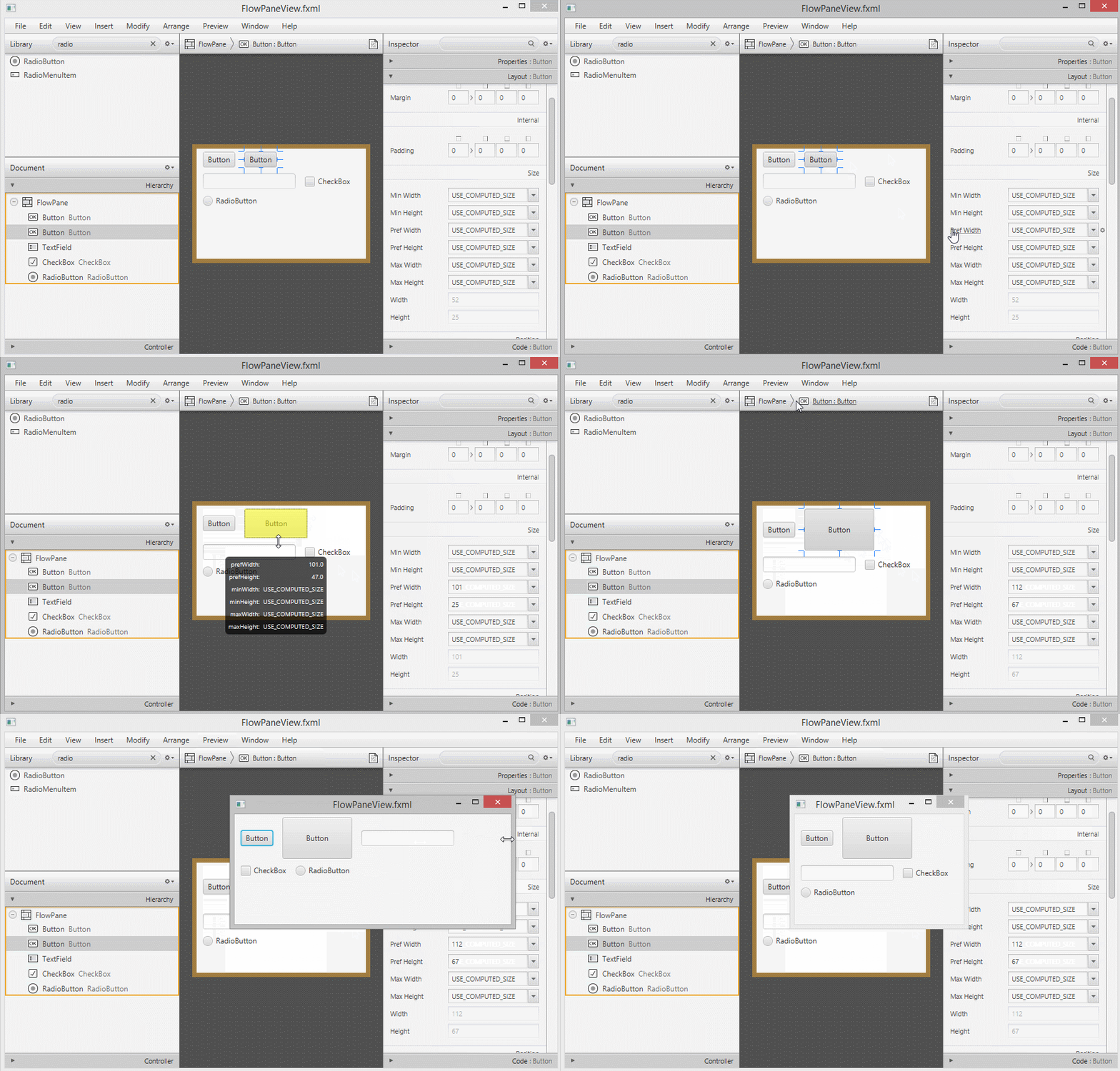
首选宽度,首选高度
本站文章除注明转载外,均为本站原创或编译
欢迎任何形式的转载,但请务必注明出处,尊重他人劳动共创优秀实例教程
转载请注明:文章转载自:代码驿站 [http:/www.codeinn.net]
本文标题:JavaFX FlowPane布局
本文地址:http://www.codeinn.net/javafx/1138.html
欢迎任何形式的转载,但请务必注明出处,尊重他人劳动共创优秀实例教程
转载请注明:文章转载自:代码驿站 [http:/www.codeinn.net]
本文标题:JavaFX FlowPane布局
本文地址:http://www.codeinn.net/javafx/1138.html